Hangar 01 · Open source · MIT
Ground crew for coding agents.
Tools to run, measure, and report on coding agents from your own machine. Self-hosted, reproducible, and with evidence behind every claim.
On the flight line
-
runtimebrief
Self-hosted project briefs from local repositories and coding-agent activity, with evidence for every claim.
View on GitHub → -
evals
Reproducible private benchmarks for choosing coding-agent configurations.
View on GitHub → -
dotfiles
Personal macOS and zsh setup: shell utilities, sync, sleep management, and PII scanning.
View on GitHub → -
t
A 24/7 coding utility for work that follows you: give a task to Claude Code or Codex, check in on the go, and move its session between your local machine and a remote host.
 View on GitHub →
Flight demo / t
Your agents. One place to manage the work.



Independent tools. Logos belong to their respective owners. Compare agent support →
One task. One worktree. One slot.
Start here. Keep going anywhere.
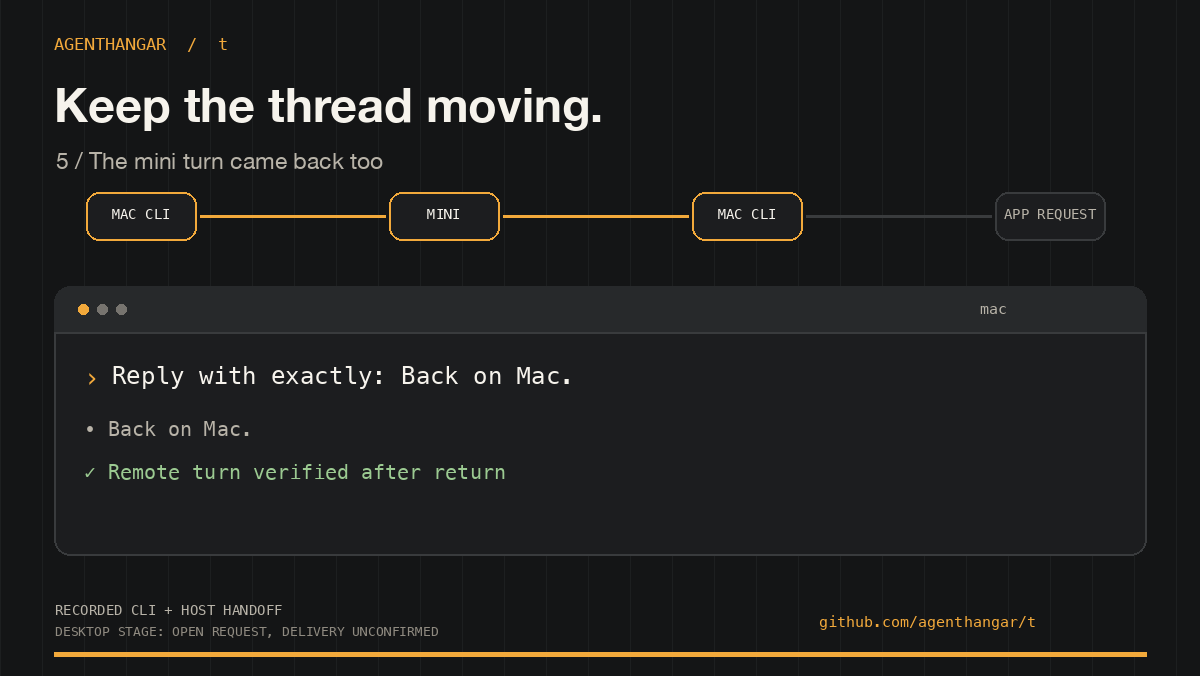
Start a Codex task on your Mac, move it to another host, then bring it home with the conversation intact. This walkthrough uses verified CLI output from a real Mac → mini → Mac session. The final beat sends a desktop open request; app delivery is unconfirmed.
Keep the task moving / t
Check in from anywhere.
Connect through a phone terminal or another computer, see your sessions with t ls, and pick up the conversation when you have a moment.
Take the work to another host.
Use t beam to move a session over SSH between your machine and a remote Mac or Linux host, including a cloud VM you set up. Bring it back when you return.
Switch how you work.
On a Mac, t open my-project --app opens an isolated worktree in the Codex desktop app. Use t app to hand over an existing local Codex conversation with its running web preview.
Choose your defaults. Share your playbook.
Clone and register a GitHub project with t checkout. Choose agent, model, and effort defaults with t config, then use t instructions to create your reusable AGENTS.md profile: local previews, pull requests, conflict resolution, and auto-merge. Checkout and setup offer to apply your profile while preserving existing repo guidance. Each agent's own configuration controls its MCP tools.
Coming soon: submit work to your agent framework, starting with AgentCore.
Sessions stay available while their host is powered on and reachable. Explore t commands →
- Evidence for every claim
- Briefs and benchmarks link back to the commits, sessions, and runs that produced them.
- Runs on your machine
- Self-hosted by default. Your repositories and agent logs never leave the hangar.
- MIT, always
- Every project ships under the MIT license. Fork it, wire it into your own setup, keep it.